
Quick Navigation
Getting Started
After creating your account, you'll be guided through a simple 3-step setup process:
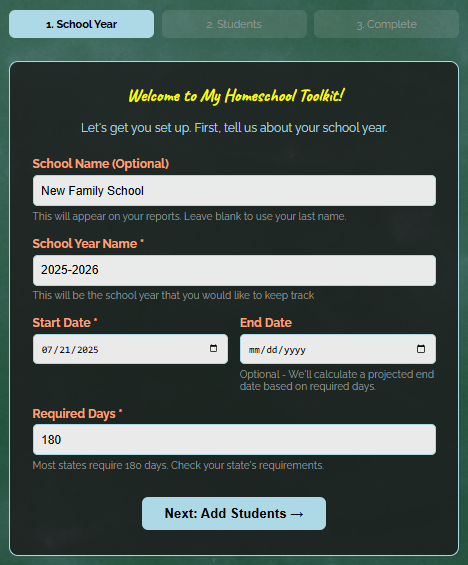
Step 1: School Year Information
Tell us about your school year:
- School Name (optional) - Appears on reports
- School Year - e.g., "2025-2026"
- Start Date - When you began teaching
- End Date - (optional) - We'll calculate a projected end date
- Required Days - Usually 180 days (check your state requirements)
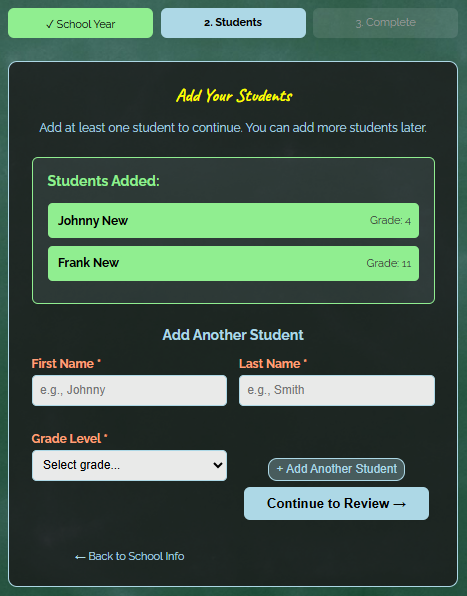
Step 2: Add Your Students
Add each child you're homeschooling:
- First Name
- Last Name
- Grade Level - Kindergarten through 12th grade
Click "Add Another Student" to add multiple children, or "Continue to Review" when done.
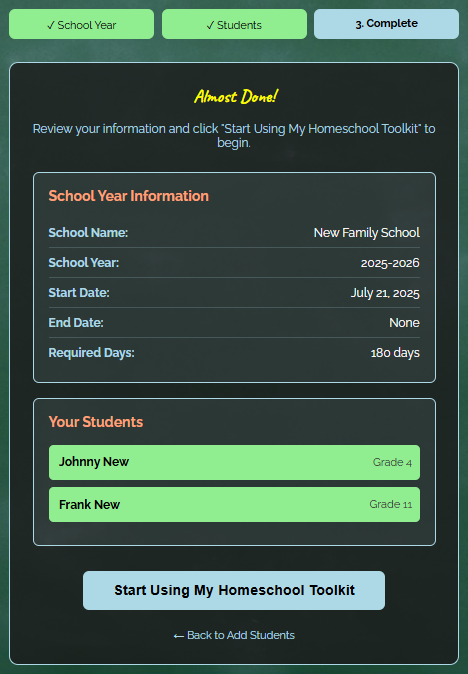
Step 3: Review & Complete
Review your information and click "Start Using My Homeschool Toolkit".
That's it! You are ready to start tracking attendance.
Daily Attendance Tracking
Marking attendance is quick and easy. Here is how:
Weekly Entry (Recommended)
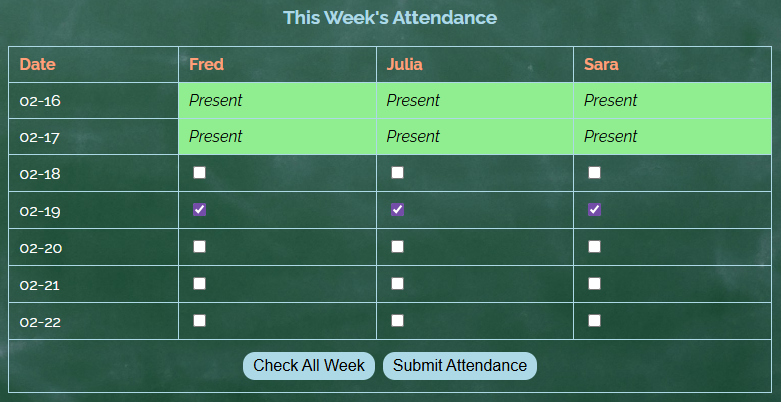
The fastest way to mark attendance:
- Click "Toolkit" → "Attendance"
- Check the box for the student for the current day
- Click "Submit Attendance"
- Repeat Daily!
💡 Tip: Use the "Check All Week" button to quickly mark Monday-Friday for all students.
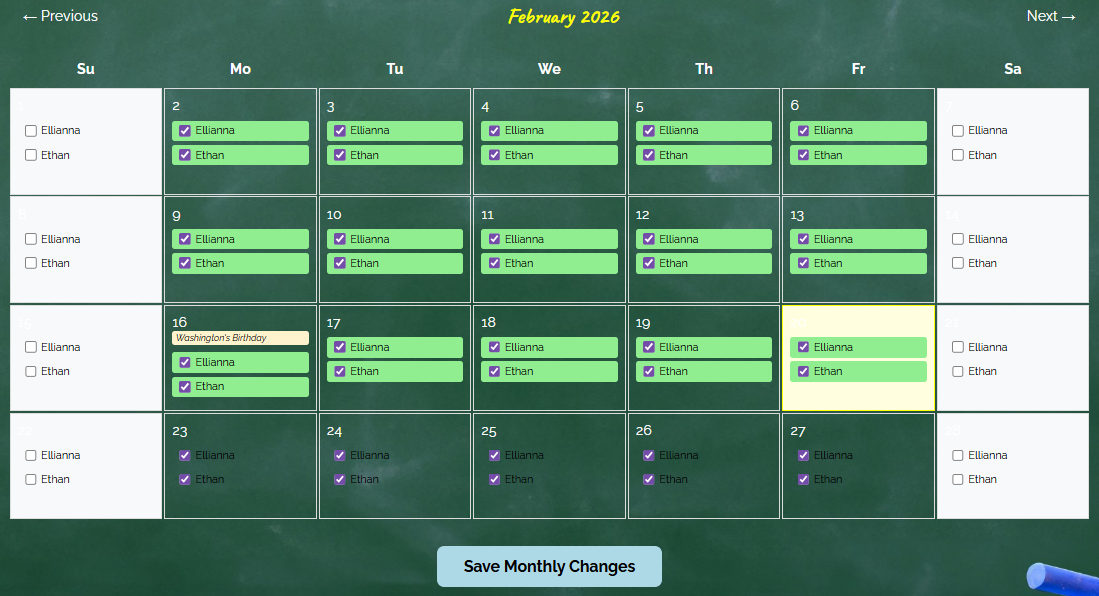
Edit Past Attendance
Forgot to mark a day? Made a mistake? No Problem!
- Click "Toolkit" → "Edit Attendance"
- Navigate to the month you need
- Check or uncheck boxes to update attendance
- Click "Save Changes"
Viewing Your Data
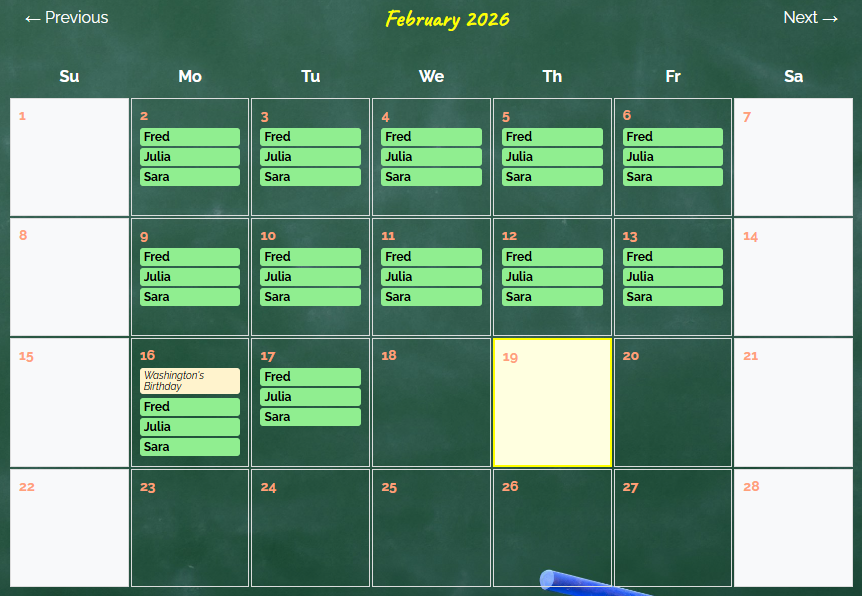
Monthly Calendar View
See your entire month at a glance:
- Green names = Student was present
- Yellow background = Holidays (no school)
- Click arrows to navigate between months
This view is read-only. To make changes, use Edit Attendance.
Days Remaining Counter
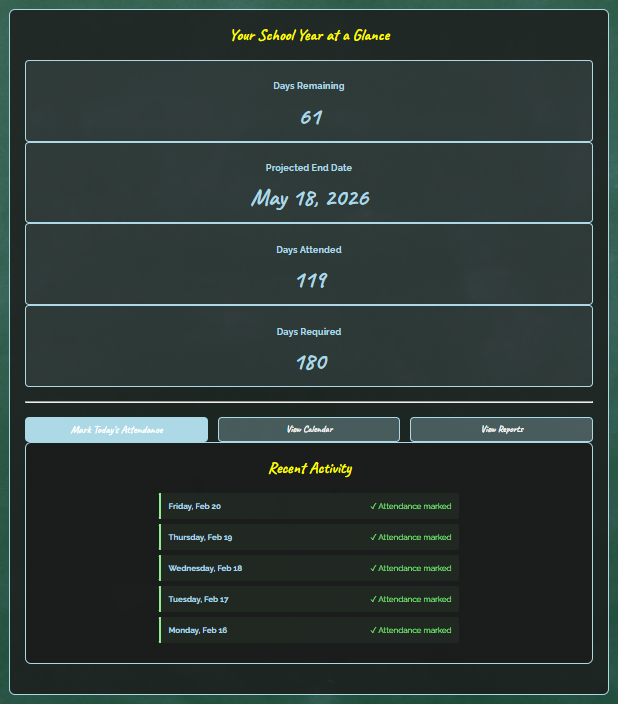
Your home page shows important information:
- Days Remaining - How many more days you need
- Projected End Date - Date when you will finish
- Days Attended - Total days marked present
- Days Required - Your state requirement (usually 180)
Generating Official Reports
Download PDF Reports
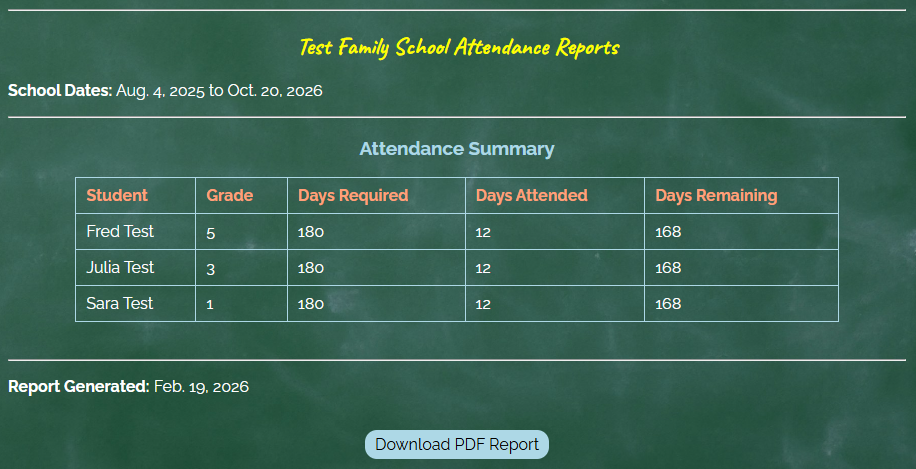
Generate official attendance reports for your school district:
- Click "Toolkit" → "Reports" in the menu
- Review the attendance summary on the screen
- Click "Download PDF Reports"
- Save or print for your records
The PDF includes:
- Each student's name and grade
- Days required and days attended
- Days remaining
- School year dates
Common Questions
What if I made a mistake marking attendance?
Use Edit Attendance to change any past entries. Navigate to the correct month, check or uncheck boxes, and save.
Can I track multiple children?
Yes! You can add unlimited students. Each student's attendance is tracked separately.
What counts as a school day?
Verify with your state's requirements, but mark any day you did homeschool activities. The app automatically excludes federal holidays from your required day count.
How do I add another student after setup?
Currently, you'll need to email support. We're adding a Settings page soon where you can manage students yourself!
Can I export my data?
The PDF report is your official record. Additional export options (like CSV) are coming soon!
Is my data private?
Absolutely! Only you can see your family's attendance records. We never share your data with anyone.
What if I start a new school year?
Currently, you'll need to email support. Multi-year support is coming in a future update!
Need More Help?
We're Here to Help!
Can't find the answer you are looking for? We would love to hear from you.
Email: [email protected]
Response Time: Usually within 24 hours